Korea Internet: eSIM, SIM Card, Pocket WiFi Choices
At a glance
- In shortA guide to mobile connectivity options including eSIMs and physical SIM cards for travelers in Korea.
- Best forTravelers seeking mobile internet options in South Korea
- WhereNationwide
- Key pointseSIMs allow instant digital activation without swapping physical cards. · Physical SIM cards can be bought or picked up at Incheon and Gimpo airports. · Local apps like Naver Maps and Papago require data for easier navigation.
- Heads-upCheck if your phone is eSIM compatible before purchasing an eSIM plan.
Annyeonghaseyo, Fellow Korea Lovers! Your Guide to Staying Connected
As a Korean local, I’m so thrilled you’re planning a trip to our beautiful country! Whether you’re here to immerse yourself in K-pop culture, explore ancient palaces, or indulge in delicious street food, one thing’s for sure: you’ll want to stay connected. Trust me, navigating Seoul’s vibrant streets, translating restaurant menus, or instantly sharing your latest K-drama filming location finds with friends back home all require a reliable internet connection.
Gone are the days of frantically searching for sketchy public Wi-Fi zones or getting lost because your map app won’t load. In this comprehensive korea esim guide and more, I’ll walk you through all your best options for mobile connectivity: eSIMs, physical SIM cards, and pocket Wi-Fi devices. Let’s make sure you’re always just a tap away from everything Korea has to offer!

✈️ Book your trip to Korea — hotels, flights & more
Why Connectivity is Non-Negotiable in Korea
From a local’s perspective, having a stable internet connection isn’t just a luxury here; it’s practically a necessity for a smooth and enjoyable trip. Here’s why:
- Navigation Made Easy: Google Maps works, but many Koreans rely on local apps like Naver Maps or Kakao Maps for the most accurate public transport routes, real-time traffic, and walking directions. You’ll definitely need data for these!
- Communication & Translation: Whether it’s asking for directions, ordering food, or just chatting with new friends, translation apps like Papago (my personal favorite for Korean!) are lifesavers. Plus, staying in touch with family and friends via messaging apps is essential.
- Unlocking K-Culture: Want to find that specific cafe featured in your favorite K-drama? Need to check concert schedules or find a K-pop idol’s pop-up store? Instant access to information is key.
- Emergency & Safety: In an unfamiliar country, being able to make calls or access emergency services (though we hope you won’t need to!) provides invaluable peace of mind.
- Sharing Your Adventures: Of course, you’ll want to share all those amazing moments, from sipping dalgona coffee to exploring Jeju Island, on social media!
Your Main Options for Staying Connected in Korea
Before diving into the specifics, let’s look at the three primary ways travelers usually get online in Korea:
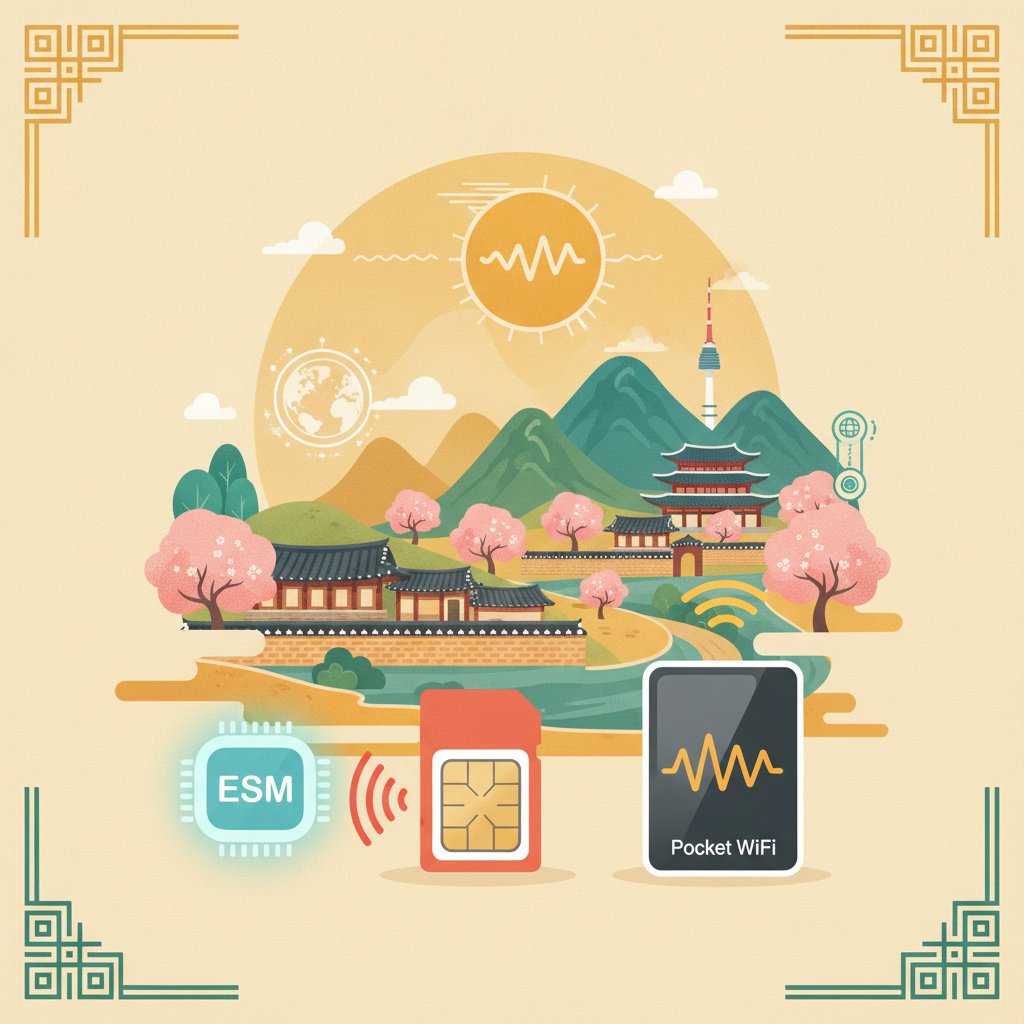
- eSIM (Embedded SIM): A digital SIM profile downloaded to your phone. No physical card needed!
- Physical SIM Card: The traditional plastic card you insert into your phone.
- Pocket Wi-Fi (also known as a Wi-Fi Egg): A portable device that acts as a mobile hotspot.
Each has its advantages and disadvantages, and what’s best for you will depend on your phone, travel style, and duration of stay. Let’s break them down!
🎟️ Popular tours & experiences in Korea
Klook.comOption 1: Korean eSIM – The Modern Traveler’s Choice
eSIMs are becoming incredibly popular among international travelers, and for good reason! As a local, I’ve seen more and more visitors choosing this hassle-free option.
What is an eSIM?
An eSIM is a digital SIM that allows you to activate a cellular plan from a carrier without needing a physical SIM card. It’s built into many newer smartphone models (check if your phone is eSIM compatible before you plan!).
Benefits of Using an eSIM in Korea
- Convenience: No need to physically swap tiny SIM cards. You can activate it before you even land!
- Dual SIM Functionality: You can often keep your home country’s SIM active for calls/texts while using the eSIM for data in Korea. This is super handy!
- Instant Activation: Usually, it’s just a QR code scan and a few taps in your phone settings.
- Environmentally Friendly: No plastic waste!
How to Get a Korean eSIM
The easiest way to get an eSIM for Korea is by purchasing it online before your trip:
- Online Travel Platforms: Websites like Klook and Trazy are excellent resources. They partner with major Korean carriers (SKT, KT, LG U+) to offer various eSIM plans. Simply search for ‘Korea eSIM’ on their sites.
- Carrier Websites: You can sometimes purchase directly from the official websites of major Korean carriers like SK Telecom, KT, or LG U+. However, these might be less user-friendly for non-Korean speakers compared to the travel platforms.
Step-by-Step eSIM Activation Guide (General Process)
While the exact steps might vary slightly by phone model and provider, here’s a general guide:
- Purchase Your eSIM: Select a plan (data amount, duration) and complete your purchase online. You’ll receive an email with a QR code and activation instructions.
- Scan the QR Code: Go to your phone’s Settings > Cellular (or Mobile Data) > Add Cellular Plan (or Add Data Plan). Your camera will open. Scan the QR code from the email.
- Follow On-Screen Prompts: Your phone will guide you through setting up the new plan. You might need to label it (e.g., “Korea Travel”) and choose it as your primary line for data.
- Enable Data Roaming (if necessary): Sometimes, you need to turn on data roaming for the eSIM, even though it’s a local plan. This doesn’t mean you’ll incur roaming charges; it simply allows the eSIM to connect to the local network.
- Test It Out: Once activated, try opening a web page or using a messaging app to ensure everything is working correctly.
Typical Price Ranges for Korean eSIMs
Prices vary greatly depending on the data allowance, duration, and provider. However, here’s a rough idea (always check current prices as they fluctuate!):
- 5-day unlimited data (speed throttled after X GB): Roughly ₩15,000-₩25,000 (approx. $11-$19 USD)
- 10-day unlimited data: Roughly ₩25,000-₩40,000 (approx. $19-$30 USD)
- 30-day unlimited data: Roughly ₩40,000-₩60,000 (approx. $30-$45 USD)
Remember, these are approximate ranges, and specific plans might offer different data caps (e.g., 3GB/day then throttled, or a total of 10GB high-speed data). Always read the fine print!
Pros and Cons of Korean eSIMs
| Pros | Cons |
|---|---|
| Super convenient, no physical swap | Requires an eSIM-compatible phone |
| Keep your home SIM active for calls/texts | Troubleshooting can be tricky if unfamiliar |
| Activate before arrival | Less suitable for older phones |
Option 2: Physical SIM Cards – The Reliable Classic
For those who prefer a tangible item or have an older phone, a physical SIM card is still a fantastic option. Many travelers, especially those who appreciate immediate in-person assistance, opt for this.
Where to Buy a Physical SIM Card in Korea
The most common and reliable places are:
- Airport Kiosks: Upon arrival at Incheon (ICN) or Gimpo (GMP) airports, you’ll find kiosks for major carriers like SK Telecom, KT, and LG U+. They are usually located near baggage claim or in the arrivals hall. This is often the easiest option as staff can help you with activation.
- Online Pre-order with Airport Pickup: Similar to eSIMs, you can pre-order physical SIM cards through platforms like Klook or Trazy. This often guarantees availability and can sometimes offer better rates than walk-in purchases. You then pick up your SIM at a designated counter at the airport.
- Convenience Stores (Limited Options): While some convenience stores (like GS25 or CU) might sell basic prepaid SIM cards, these are typically less tourist-friendly, might require Korean ID verification, and offer limited data plans. I generally recommend sticking to airports or pre-orders for convenience and better plans.
How to Activate a Physical SIM Card
If you purchase at an airport kiosk, the staff will usually activate it for you on the spot. If you pre-ordered and are picking it up, they might also assist, or you’ll follow the instructions provided.
- Insert the SIM: Turn off your phone, pop out your home SIM (keep it safe!), and insert the new Korean SIM card.
- Turn On & Configure: Power on your phone. It should automatically detect the new network. You might need to go to your phone’s settings to enable cellular data and ensure APN (Access Point Name) settings are correct (though this is often automatic).
- Register/Verify (if needed): Some prepaid SIMs might require a quick online registration with your passport details. Airport staff will handle this for you.
- Test It Out: Make a quick call or browse the internet to confirm it’s working.
Typical Price Ranges for Korean Physical SIM Cards
The pricing structure for physical SIMs is very similar to eSIMs, often with comparable plans and data allowances. Again, these are approximate ranges and subject to change:
- 5-day unlimited data (with throttling): Roughly ₩15,000-₩25,000 (approx. $11-$19 USD)
- 10-day unlimited data: Roughly ₩25,000-₩40,000 (approx. $19-$30 USD)
- 30-day unlimited data: Roughly ₩40,000-₩60,000 (approx. $30-$45 USD)
Some plans also include a small amount of call time or texts, which can be useful. Always clarify with the provider what ‘unlimited’ really means (it usually refers to high-speed data, then a reduced speed after a daily or total cap).
Pros and Cons of Korean Physical SIM Cards
| Pros | Cons |
|---|---|
| Works with older, non-eSIM phones | Requires physical swapping of cards |
| In-person assistance often available at airports | Risk of losing your home SIM card |
| Familiar technology for many travelers | Can’t use your home number simultaneously |
| Lines at airport kiosks can be long during peak times |
Option 3: Pocket Wi-Fi (Portable Wi-Fi Egg) – Group Travel Friendly
A pocket Wi-Fi device, often affectionately called a ‘Wi-Fi egg’ in Korea, is a small, portable gadget that creates a personal Wi-Fi hotspot. It’s an excellent option, especially if you’re traveling with family or friends!
What is a Pocket Wi-Fi Device?
It’s essentially a small, battery-powered router that connects to Korea’s mobile network and then broadcasts a Wi-Fi signal. You can connect multiple devices (phones, tablets, laptops) to it simultaneously.
Benefits of Using a Pocket Wi-Fi
- Shareable: One device can provide internet for several people, often making it more cost-effective for groups.
- Keep Your Own SIM: You don’t need to remove your home country’s SIM card from your phone.
- Device Agnostic: Works with any Wi-Fi enabled device, even those not compatible with eSIMs or unlocked for foreign SIMs.
- No Phone Unlocking Needed: Great for phones that are locked to your home carrier.
How to Get a Pocket Wi-Fi in Korea
- Airport Rental Kiosks: Similar to SIM cards, major carriers like SKT, KT, and LG U+ have rental counters at Incheon and Gimpo airports. You can rent one upon arrival.
- Online Pre-order with Airport Pickup/Return: This is highly recommended for convenience and often better rates. Use platforms like Klook or Trazy to reserve your Wi-Fi egg in advance. You pick it up at a designated counter upon arrival and return it before departure.
How to Use a Pocket Wi-Fi
- Pick Up & Charge: Collect your device (often comes with a charger and instructions). Make sure it’s fully charged.
- Turn On: Power on the device. It will usually display its network name (SSID) and password.
- Connect Your Devices: On your phone/tablet, go to Wi-Fi settings, find the Pocket Wi-Fi’s network name, and enter the password.
- Stay Charged: Keep an eye on the battery life! These devices typically last 8-12 hours on a single charge depending on usage and model. You might want to carry a portable power bank.
- Return: Drop off the device at the designated counter at the airport before you fly out.
Typical Price Ranges for Korean Pocket Wi-Fi
Pocket Wi-Fi devices are typically rented on a daily basis. The more days you rent, the lower the daily rate might become. Discounts are common for longer rentals or pre-bookings.
- Daily Rental Rate: Roughly ₩3,000-₩7,000 per day (approx. $2.50-$5.50 USD)
- Total for 5 days: Roughly ₩15,000-₩30,000 (approx. $11-$23 USD)
- Total for 10 days: Roughly ₩25,000-₩50,000 (approx. $19-$38 USD)
These prices are for unlimited data (though usually with a fair usage policy that might throttle speed after a very high cap). Remember to factor in potential insurance options (often available for an extra fee) against loss or damage.
Pros and Cons of Korean Pocket Wi-Fi
| Pros | Cons |
|---|---|
| Shareable among multiple devices/people | Another device to carry and charge |
| Keep your home SIM in your phone | Can be more expensive for solo travelers |
| No phone unlocking required | Reliance on battery life |
| Good for groups or multiple devices | Need to pick up and return (often only at airports) |
Key Considerations Before You Arrive
To make the best choice for your trip, consider these points:
1. Phone Compatibility (Especially for eSIMs)
This is crucial! Not all phones support eSIMs. Generally, newer models of iPhones (XR and later), Samsung Galaxy (S20 and later), Google Pixel (3a and later), and some other flagship Android phones are compatible. Always check your specific phone model’s specifications before relying on an eSIM.
2. Your Data Usage Habits
Are you a heavy streamer, always uploading videos, and constantly on social media? Or do you mostly need data for maps and occasional messaging? Most tourist plans offer ‘unlimited’ data, but be aware that this often means a high-speed daily cap (e.g., 3GB or 5GB per day) after which speeds are reduced. For most travelers, these caps are more than sufficient.
3. Duration of Your Stay
For shorter trips (under a week), a 5-day eSIM or SIM card might be perfect. For longer stays (10+ days), a 30-day plan often offers better value per day. Pocket Wi-Fi rentals are usually very flexible for any duration.
4. Solo Traveler vs. Group Travel
If you’re traveling alone, an eSIM or physical SIM is usually the most convenient and cost-effective. For groups of 2 or more, a pocket Wi-Fi becomes a very attractive option, as the cost can be split, and everyone stays connected simultaneously.
5. Pre-order vs. On-Arrival Purchase
As a local, I highly recommend pre-ordering your chosen connectivity option online through reliable platforms like Klook or Trazy. It saves you time, often secures a better price, and means you hit the ground running with internet access. Airport kiosks can sometimes have long lines, especially during peak travel seasons.
🎟️ Popular tours & experiences in Korea
Klook.comMajor Mobile Providers in Korea
You’ll primarily encounter three major mobile carriers in Korea, all known for their excellent coverage and fast speeds:
- SK Telecom (SKT): The largest carrier, known for its extensive network, even in rural areas.
- KT: Another major player, offering reliable service across the country.
- LG U+: A strong competitor, also providing excellent coverage and competitive plans.
All three offer high-quality 5G and LTE services, so you can expect fast and consistent internet wherever you go in populated areas.

Pro Tips from a Local for Your Connected Korean Adventure
Here are a few extra pointers from me to make your connectivity experience even smoother:
- Download Offline Maps: Even with reliable internet, having offline maps of Seoul or other cities downloaded (from Naver Maps or Google Maps) can be a lifesaver if you ever find yourself in a spot with weak signal or just want to conserve data.
- Utilize Free Public Wi-Fi (Cautiously): While Korea has a lot of free public Wi-Fi, especially in subway stations, cafes, and major tourist spots, it’s generally less secure than your personal connection. Use it for casual browsing, but avoid sensitive transactions.
- Portable Power Bank is Your Best Friend: If you’re out and about all day, especially with a pocket Wi-Fi device or heavy phone usage, a portable charger is essential. You don’t want your connection dying halfway through finding your way back to your guesthouse!
- Learn Basic Korean Phrases: Even with translation apps, knowing a few phrases like ‘Annyeonghaseyo’ (hello), ‘Gamsahamnida’ (thank you), ‘Jeogiyo’ (excuse me, to get attention), and ‘Eolmayeyo?’ (how much is it?) goes a long way and is always appreciated by locals!
- Register for Wi-Fi on Public Transport (Sometimes): Some city buses and subways offer free Wi-Fi, but you might need to register with a local number or create a quick account. This usually isn’t as seamless as a dedicated SIM/eSIM.
Ready to Explore Korea, Connected?
I hope this guide helps you feel confident about staying connected during your amazing trip to Korea! Whether you choose the sleek convenience of a korea esim, the familiarity of a physical SIM, or the group-friendly option of a pocket Wi-Fi, having reliable internet will truly enhance your experience. You’ll be navigating like a local, sharing your adventures instantly, and never missing a beat of the dynamic Korean culture.
Don’t hesitate to explore the official websites of Klook or Trazy to compare the latest plans and prices. Get ready for an unforgettable journey – I can’t wait for you to experience all the magic of Korea!
More on Practical Travel Tips
- Why Naver Map Beats Google Maps in KoreaAn explanation of why Naver Map is more accurate and useful than Google Maps for traveling in South Korea.
- Korean Jjimjilbang Sauna Etiquette GuideA step-by-step beginner guide explaining customs, rules, and steps for visiting a Korean jjimjilbang.
- Visiting Korea in Spring and AutumnA guide to visiting Korea during cherry blossom spring and vibrant autumn foliage seasons.
See every Practical Travel Tips post in our K-Travel guide.
Handy toolsKorea travel essentials · Trip budget calculator · Korea Guide Finder
Keep Reading
- Incheon Airport to Seoul Transport: A Local’s Advice
- How to Book and Ride KTX Trains in Korea
- KTX Train Travel: Korea’s High-Speed Rail Tips
- Seoul Subway Tips for First-Time Visitors
🎟️ Popular tours & experiences in Korea
Klook.com